


Add a new service
In the menu on the left side of the screen, click on "Services" marked with a star icon. You will see the list of all services you have already added.
To add a new service, click on "Add" in the same left menu.
Enter the details
You can choose the service name and description, TAG, price, duration, break between services, collaborators who will provide the service, label color, and whether to make the service bookable online by your clients.
Eliminate no-shows and late arrivals by 90%
Send personalized automated reminders for your appointments. Build client loyalty with post-appointment messages.
M
Memofly
online
Message

Professional Solutions
Designed for your industry
Hundreds of professionals have already optimized their schedules with Memofly. Discover how we help your industry.
Complete Features
Why choose Memofly
Everything you need to manage your appointments professionally
Google Calendar Sync
Connect your existing calendar in one click. Memofly automatically reads your appointments and sends reminders without any manual intervention.
Personalized Messages
Professional messages with client name, time, and appointment details. Your brand in every communication.
Hi Marco!
Reminder of your appointment tomorrow at 3:00 PM at Studio Rossi. Reply YES to confirm.
I confirm, thanks!
Real-time Analytics
Dashboard with delivery statistics, confirmations, and avoided no-shows.
Booking Page
Clients book online 24/7 from your branded page.
Availability
Mon-Fri 9:00-18:00
Multi-Staff Management
Manage separate calendars for each team member. Each member has their own schedule and personalized reminders.
MR
SB
LG
+5
WhatsApp Messages
Send reminders via WhatsApp too. Reach your clients on their preferred channel with automated and personalized messages.
Delivered
How Memofly Works
Configure once, automate forever
How Memofly Works
Create the services offered by your business
Create messages for each service
Default message for all
When you register on Memofly, there is already a default message preset for all services.
You can customize the default message by filling in a few intuitive fields to create your message.
Customize the message
You can add pre and post-appointment messages. You can decide which service this message will be sent for and how long before or after the appointment.
You can use automatic fields to insert your company name, appointment date and time, your client's name, and send a link that allows your client to view their appointment summary.
When you register on Memofly, there is already a default message preset for all services.
You can customize the default message by filling in a few intuitive fields to create your message.
Customize the message
You can add pre and post-appointment messages. You can decide which service this message will be sent for and how long before or after the appointment.
You can use automatic fields to insert your company name, appointment date and time, your client's name, and send a link that allows your client to view their appointment summary.
Add appointments
Integrated or Google Calendar
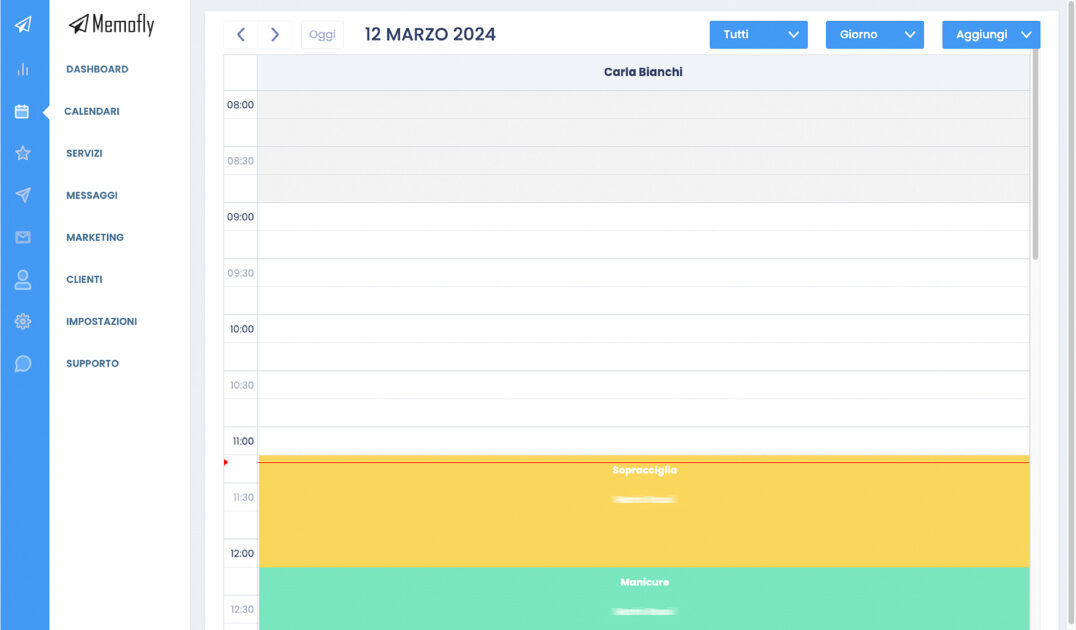
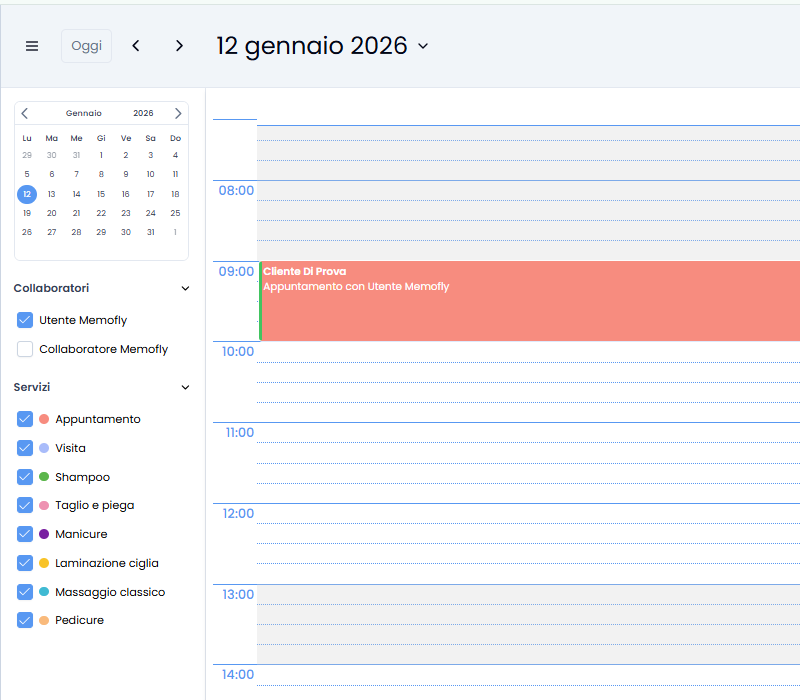
Memofly has a built-in integrated calendar where you can schedule appointments for each of your services and collaborators. You can also schedule new appointments directly on your Google Calendar.
Add appointments
On the integrated calendar, you can add appointments for clients already in your database or for new clients, specify one or more services for each appointment, and set the desired duration. Enter the day, client name (or select an existing client), time, and service.
On Google Calendar, click on the desired time, enter the service tag in the event title, and add your client's phone number.
Memofly has a built-in integrated calendar where you can schedule appointments for each of your services and collaborators. You can also schedule new appointments directly on your Google Calendar.
Add appointments
On the integrated calendar, you can add appointments for clients already in your database or for new clients, specify one or more services for each appointment, and set the desired duration. Enter the day, client name (or select an existing client), time, and service.
On Google Calendar, click on the desired time, enter the service tag in the event title, and add your client's phone number.
Your calendar is always up to date
Calendars are synchronized
If you have entered the appointment correctly, the two calendars are synchronized within minutes and automatic messages will be sent at the times you have set.
You won't have to do anything else: Memofly will take care of sending reminders to your clients automatically, drastically reducing no-shows and improving your practice efficiency.
If you have entered the appointment correctly, the two calendars are synchronized within minutes and automatic messages will be sent at the times you have set.
You won't have to do anything else: Memofly will take care of sending reminders to your clients automatically, drastically reducing no-shows and improving your practice efficiency.
1 Step 1 of 4
Create the services offered by your business
Add a new service
In the menu on the left side of the screen, click on "Services" marked with a star icon. You will see the list of all services you have already added.
To add a new service, click on "Add" in the same left menu.
Enter the details
You can choose the service name and description, TAG, price, duration, break between services, collaborators who will provide the service, label color, and whether to make the service bookable online by your clients.
In the menu on the left side of the screen, click on "Services" marked with a star icon. You will see the list of all services you have already added.
To add a new service, click on "Add" in the same left menu.
Enter the details
You can choose the service name and description, TAG, price, duration, break between services, collaborators who will provide the service, label color, and whether to make the service bookable online by your clients.
2 Step 2 of 4
Create messages for each service
Default message for all
When you register on Memofly, there is already a default message preset for all services.
You can customize the default message by filling in a few intuitive fields to create your message.
Customize the message
You can add pre and post-appointment messages. You can decide which service this message will be sent for and how long before or after the appointment.
You can use automatic fields to insert your company name, appointment date and time, your client's name, and send a link that allows your client to view their appointment summary.
When you register on Memofly, there is already a default message preset for all services.
You can customize the default message by filling in a few intuitive fields to create your message.
Customize the message
You can add pre and post-appointment messages. You can decide which service this message will be sent for and how long before or after the appointment.
You can use automatic fields to insert your company name, appointment date and time, your client's name, and send a link that allows your client to view their appointment summary.
3 Step 3 of 4
Add appointments
Integrated or Google Calendar
Memofly has a built-in integrated calendar where you can schedule appointments for each of your services and collaborators. You can also schedule new appointments directly on your Google Calendar.
Add appointments
On the integrated calendar, you can add appointments for clients already in your database or for new clients, specify one or more services for each appointment, and set the desired duration. Enter the day, client name (or select an existing client), time, and service.
On Google Calendar, click on the desired time, enter the service tag in the event title, and add your client's phone number.
Memofly has a built-in integrated calendar where you can schedule appointments for each of your services and collaborators. You can also schedule new appointments directly on your Google Calendar.
Add appointments
On the integrated calendar, you can add appointments for clients already in your database or for new clients, specify one or more services for each appointment, and set the desired duration. Enter the day, client name (or select an existing client), time, and service.
On Google Calendar, click on the desired time, enter the service tag in the event title, and add your client's phone number.
4 Step 4 of 4
Your calendar is always up to date
Calendars are synchronized
If you have entered the appointment correctly, the two calendars are synchronized within minutes and automatic messages will be sent at the times you have set.
You won't have to do anything else: Memofly will take care of sending reminders to your clients automatically, drastically reducing no-shows and improving your practice efficiency.
If you have entered the appointment correctly, the two calendars are synchronized within minutes and automatic messages will be sent at the times you have set.
You won't have to do anything else: Memofly will take care of sending reminders to your clients automatically, drastically reducing no-shows and improving your practice efficiency.
Smart database
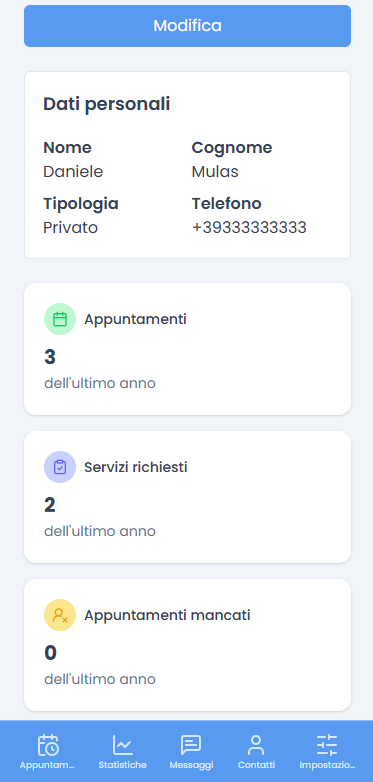
Your client data
at your fingertips.
Memofly is not just reminders. It's a complete system to manage your client database, view appointment history and monitor user loyalty.
Native integrations
Instant and secure
synchronization.
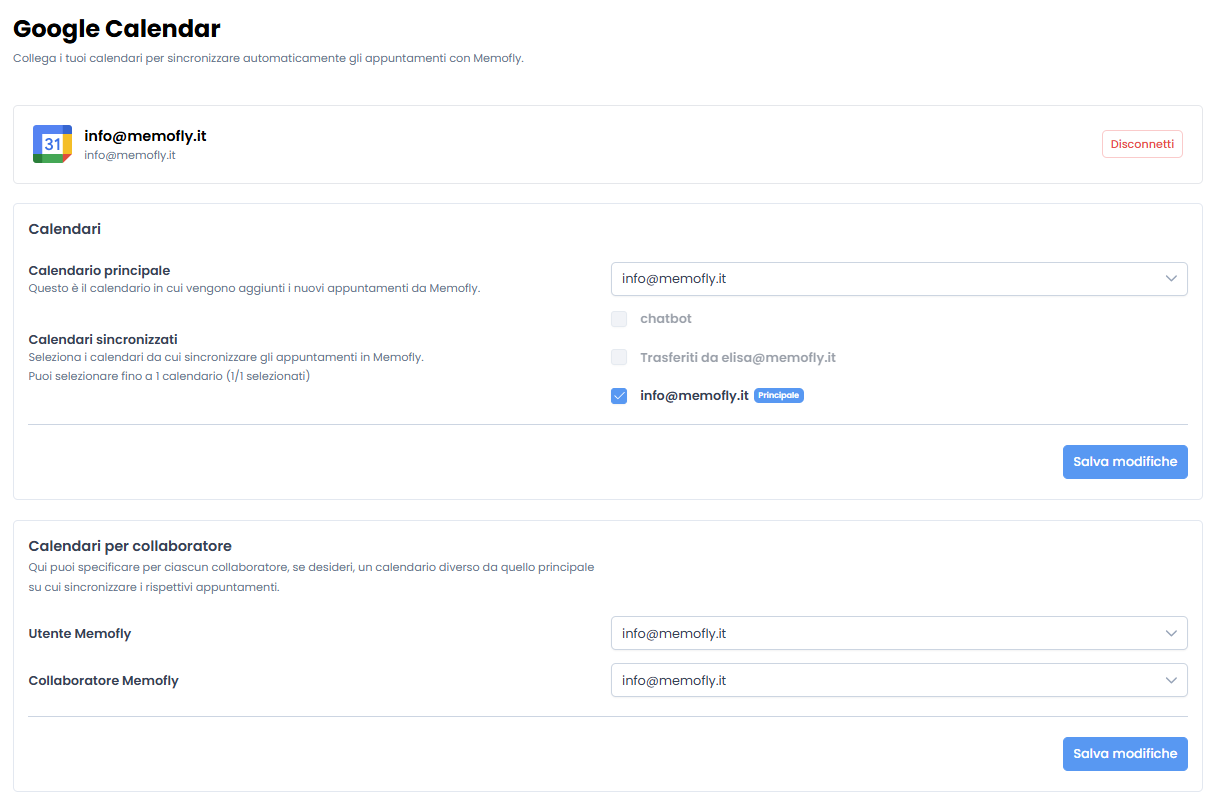
Google Calendar Integration
Connect your Google calendar in less than a minute. Memofly will read new events and schedule SMS automatically.
Two-way Automation
If you move an appointment on Google, Memofly immediately updates the reminder time.

The ultimate dashboard
Total control of your business.
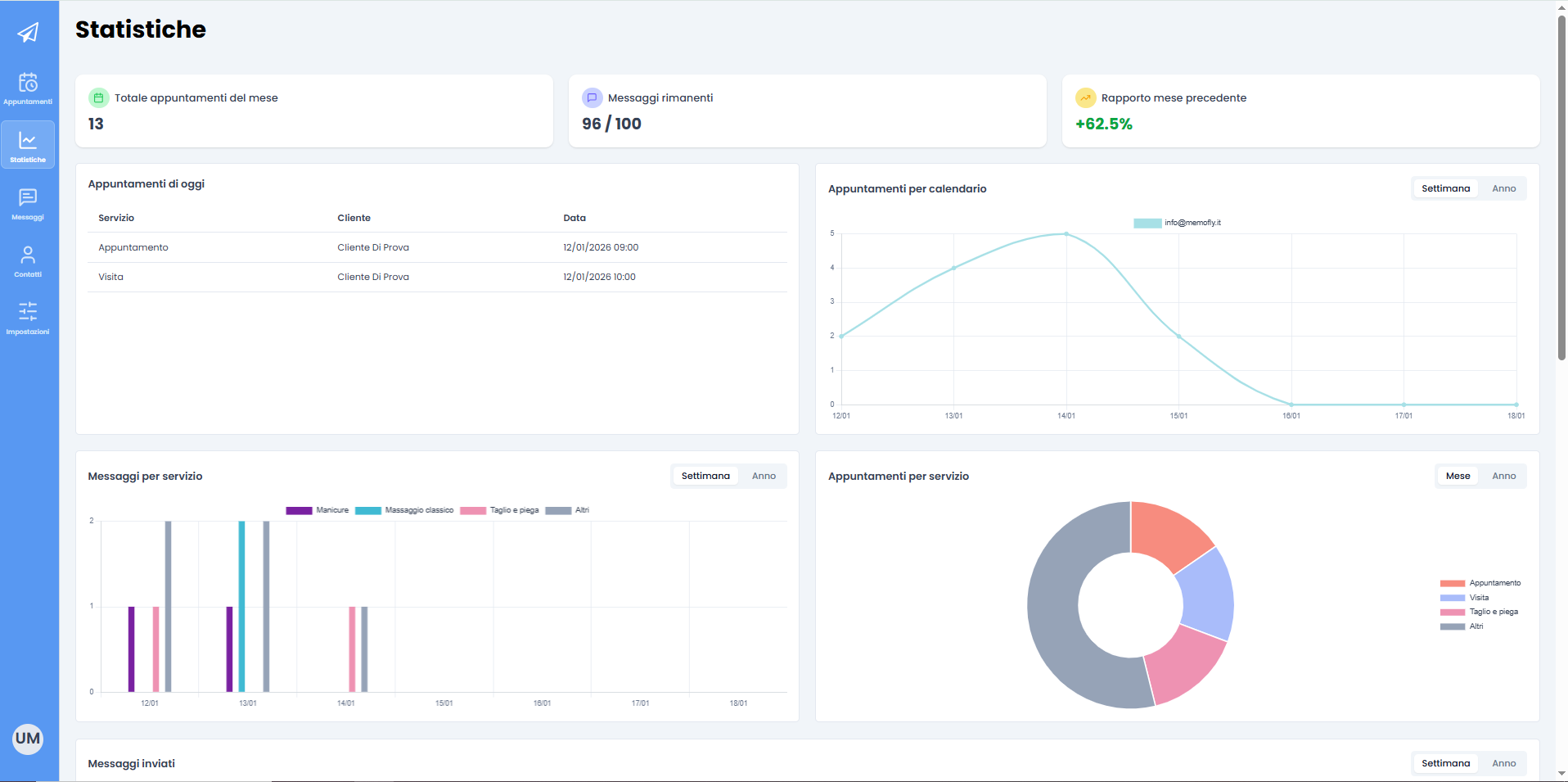
From send monitoring to staff management. Memofly offers you a clean and powerful interface to govern your business.
Security First
Encrypted data and GDPR compliance for peace of mind.

Mobile Ready
Access all features from your smartphone wherever you are.
Roi calculator
How much do missed appointments cost you?
Use our simulator to understand how much revenue you're losing each month due to clients forgetting their appointments.
100
50€
15%
Monthly Loss
€750
Memofly Savings
€675
Save over 40 hours/month
By reducing cancellations and manual reminder calls.
Invest in Your Time
Plans for your needs
Choose the plan that best suits your needs. All plans include a 30-day free trial.
Choose billing period
All prices are VAT excluded
Memofly Basic
Perfetto per iniziare
9,00 € / month
- 100 messaggi al mese
- 1 calendario
- Promemoria SMS
- Supporto email
Add WhatsApp +7,00 €/month
MOST POPULAR
Memofly Professional
Per professionisti e piccoli team
19,00 € / month
- 200 messaggi al mese
- 3 calendari
- Promemoria SMS
- Supporto prioritario
Add WhatsApp +10,00 €/month
Memofly Enterprise
Per aziende con esigenze avanzate
59,00 € / month
- 400 messaggi al mese
- Utenti illimitati
- 5 calendari
- WhatsApp Business API con numero personalizzato
WhatsApp Business included
Need a custom plan?
Contact us for higher SMS volumes or dedicated enterprise integrations.
Get started
Start your free trial
today.
Hundreds of professionals have already optimized their schedule. Join them and watch your revenue grow.
NO COMMITMENT - CANCEL ANYTIME - NO CREDIT CARD
GDPR Compliant
Encrypted Data
Support Available