


Add a new service
In the menu on the left side of the screen, click on "Services" marked with a star icon. You will see the list of all services you have already added.
To add a new service, click on "Add" in the same left menu.
Enter the details
You can choose the service name and description, TAG, price, duration, break between services, collaborators who will provide the service, label color, and whether to make the service bookable online by your clients.
Eliminate no-shows and late arrivals by 90%
Send personalized automated reminders for your appointments. Build client loyalty with post-appointment messages.

M
Memofly
online
Message
Professional Solutions
Designed for your industry
Hundreds of professionals have already optimized their schedules with Memofly. Discover how we help your industry.
Complete Features
Everything it takes to run a day of appointments
Calendar, online booking, multiple locations and automated reminders: one system, from the first appointment to the last.
Shared calendar
Every appointment, for the whole team, in a single view synced with Google Calendar in one click. Each team member keeps their own calendar, and Memofly reads the appointments and sends the reminders with no manual intervention.
MR
SB
LG
+5
Online booking 24/7
Clients book themselves from your branded page, only within the hours you decide.
Availability
Mon-Fri 9:00-18:00
Multiple locations
Locations, team members and calendars under one roof, even as you grow. Add a location and its calendar joins the same dashboard, with its own hours and its own reminders.
Downtown 4 team members
North branch 2 team members
Add a location
Automated WhatsApp and SMS reminders
Messages go out on their own before every appointment and ask for confirmation. WhatsApp or SMS: pick the channel your clients actually use. This is where no-shows drop by up to 90%.
Hi Marco!
Reminder of your appointment tomorrow at 3:00 PM at Studio Rossi. Reply YES to confirm.
I confirm, thanks!
Delivered
Personalized Messages
Every reminder carries the client name, time and appointment details. Your brand in every SMS and every WhatsApp message.
{name} {date} {time} {service}
Real-time Analytics
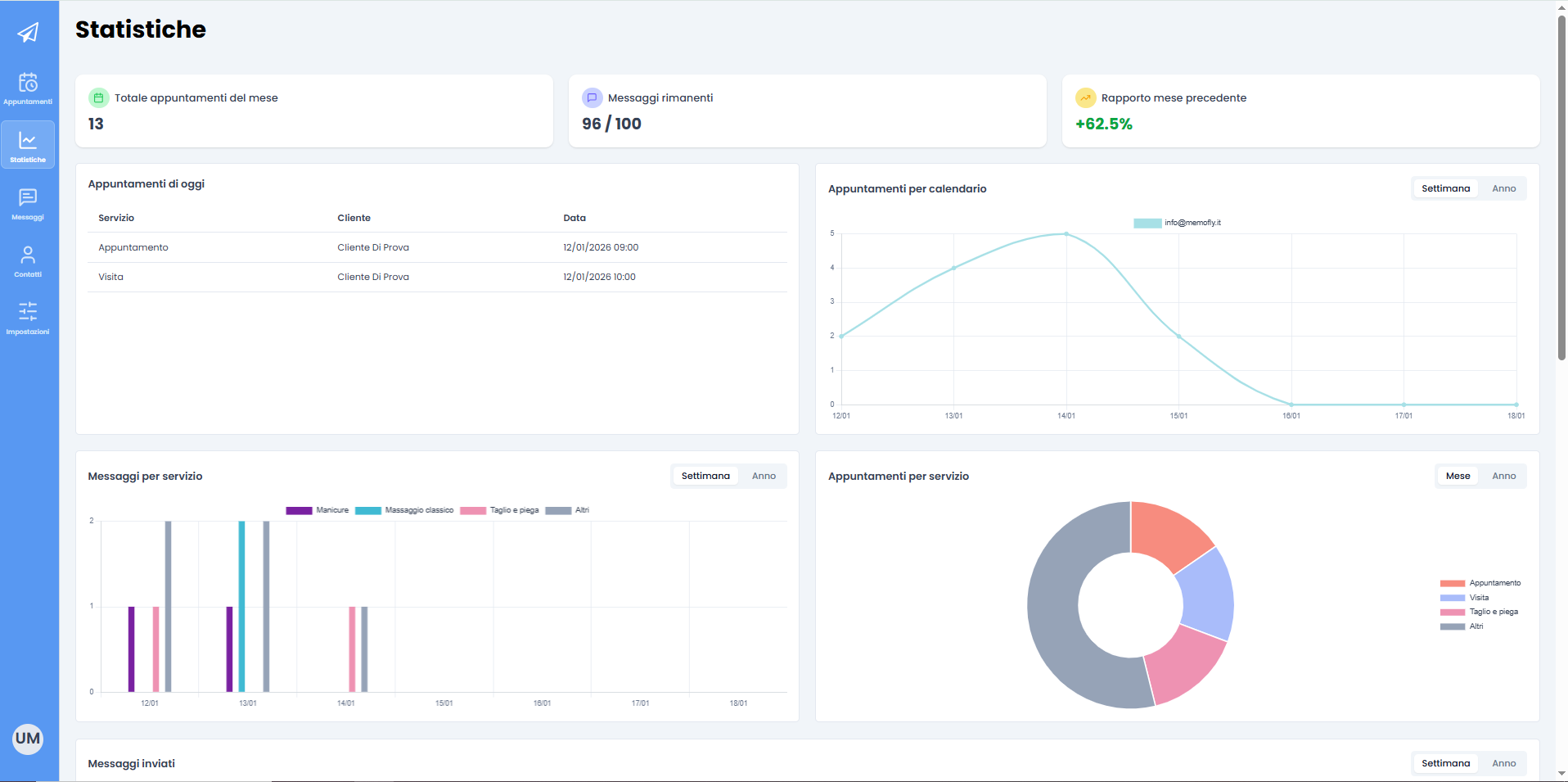
Dashboard with delivery statistics, confirmations, and avoided no-shows.
How Memofly Works
Configure once, automate forever
How Memofly Works
Create the services offered by your business
Create messages for each service
Default message for all
When you register on Memofly, there is already a default message preset for all services.
You can customize the default message by filling in a few intuitive fields to create your message.
Customize the message
You can add pre and post-appointment messages. You can decide which service this message will be sent for and how long before or after the appointment.
You can use automatic fields to insert your company name, appointment date and time, your client's name, and send a link that allows your client to view their appointment summary.
When you register on Memofly, there is already a default message preset for all services.
You can customize the default message by filling in a few intuitive fields to create your message.
Customize the message
You can add pre and post-appointment messages. You can decide which service this message will be sent for and how long before or after the appointment.
You can use automatic fields to insert your company name, appointment date and time, your client's name, and send a link that allows your client to view their appointment summary.
Add appointments
Integrated or Google Calendar
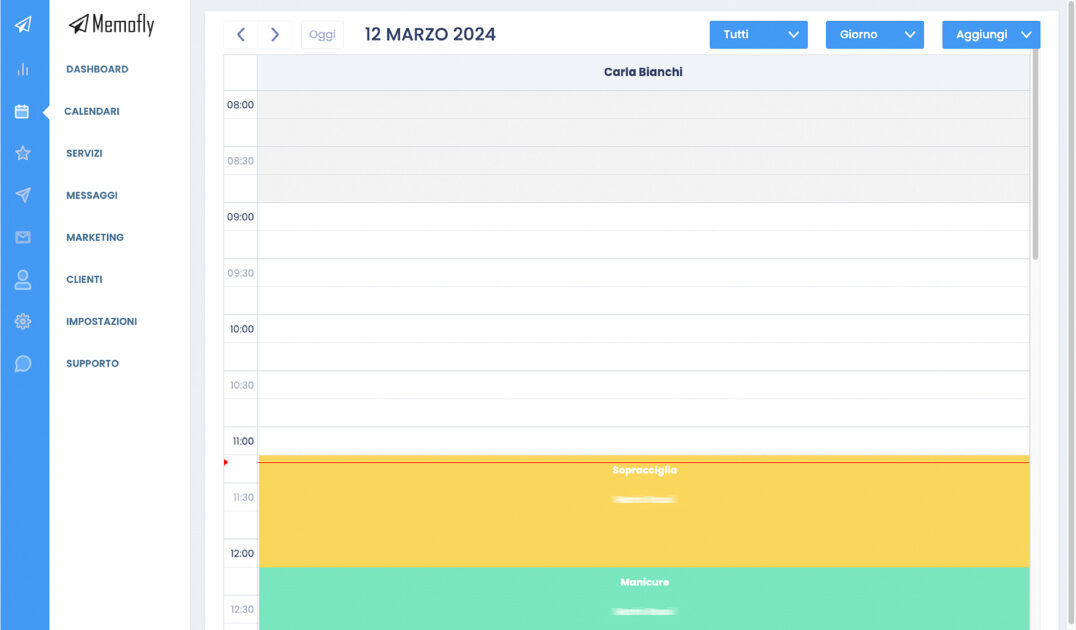
Memofly has a built-in integrated calendar where you can schedule appointments for each of your services and collaborators. You can also schedule new appointments directly on your Google Calendar.
Add appointments
On the integrated calendar, you can add appointments for clients already in your database or for new clients, specify one or more services for each appointment, and set the desired duration. Enter the day, client name (or select an existing client), time, and service.
On Google Calendar, click on the desired time, enter the service tag in the event title, and add your client's phone number.
Memofly has a built-in integrated calendar where you can schedule appointments for each of your services and collaborators. You can also schedule new appointments directly on your Google Calendar.
Add appointments
On the integrated calendar, you can add appointments for clients already in your database or for new clients, specify one or more services for each appointment, and set the desired duration. Enter the day, client name (or select an existing client), time, and service.
On Google Calendar, click on the desired time, enter the service tag in the event title, and add your client's phone number.
Your calendar is always up to date
Calendars are synchronized
If you have entered the appointment correctly, the two calendars are synchronized within minutes and automatic messages will be sent at the times you have set.
You won't have to do anything else: Memofly will take care of sending reminders to your clients automatically, drastically reducing no-shows and improving your practice efficiency.
If you have entered the appointment correctly, the two calendars are synchronized within minutes and automatic messages will be sent at the times you have set.
You won't have to do anything else: Memofly will take care of sending reminders to your clients automatically, drastically reducing no-shows and improving your practice efficiency.
1 Step 1 of 4
Create the services offered by your business
Add a new service
In the menu on the left side of the screen, click on "Services" marked with a star icon. You will see the list of all services you have already added.
To add a new service, click on "Add" in the same left menu.
Enter the details
You can choose the service name and description, TAG, price, duration, break between services, collaborators who will provide the service, label color, and whether to make the service bookable online by your clients.
In the menu on the left side of the screen, click on "Services" marked with a star icon. You will see the list of all services you have already added.
To add a new service, click on "Add" in the same left menu.
Enter the details
You can choose the service name and description, TAG, price, duration, break between services, collaborators who will provide the service, label color, and whether to make the service bookable online by your clients.
2 Step 2 of 4
Create messages for each service
Default message for all
When you register on Memofly, there is already a default message preset for all services.
You can customize the default message by filling in a few intuitive fields to create your message.
Customize the message
You can add pre and post-appointment messages. You can decide which service this message will be sent for and how long before or after the appointment.
You can use automatic fields to insert your company name, appointment date and time, your client's name, and send a link that allows your client to view their appointment summary.
When you register on Memofly, there is already a default message preset for all services.
You can customize the default message by filling in a few intuitive fields to create your message.
Customize the message
You can add pre and post-appointment messages. You can decide which service this message will be sent for and how long before or after the appointment.
You can use automatic fields to insert your company name, appointment date and time, your client's name, and send a link that allows your client to view their appointment summary.
3 Step 3 of 4
Add appointments
Integrated or Google Calendar
Memofly has a built-in integrated calendar where you can schedule appointments for each of your services and collaborators. You can also schedule new appointments directly on your Google Calendar.
Add appointments
On the integrated calendar, you can add appointments for clients already in your database or for new clients, specify one or more services for each appointment, and set the desired duration. Enter the day, client name (or select an existing client), time, and service.
On Google Calendar, click on the desired time, enter the service tag in the event title, and add your client's phone number.
Memofly has a built-in integrated calendar where you can schedule appointments for each of your services and collaborators. You can also schedule new appointments directly on your Google Calendar.
Add appointments
On the integrated calendar, you can add appointments for clients already in your database or for new clients, specify one or more services for each appointment, and set the desired duration. Enter the day, client name (or select an existing client), time, and service.
On Google Calendar, click on the desired time, enter the service tag in the event title, and add your client's phone number.
4 Step 4 of 4
Your calendar is always up to date
Calendars are synchronized
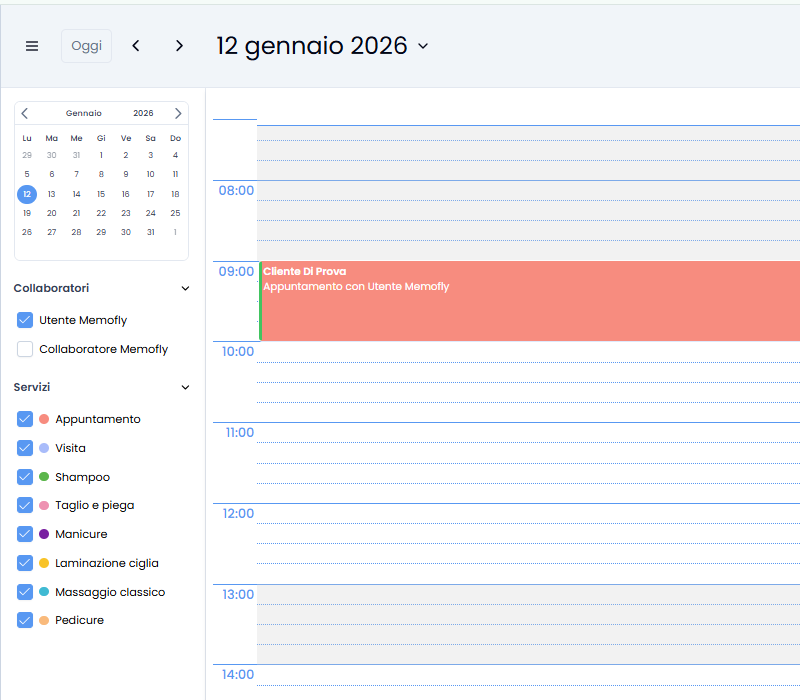
If you have entered the appointment correctly, the two calendars are synchronized within minutes and automatic messages will be sent at the times you have set.
You won't have to do anything else: Memofly will take care of sending reminders to your clients automatically, drastically reducing no-shows and improving your practice efficiency.
If you have entered the appointment correctly, the two calendars are synchronized within minutes and automatic messages will be sent at the times you have set.
You won't have to do anything else: Memofly will take care of sending reminders to your clients automatically, drastically reducing no-shows and improving your practice efficiency.
Smart database
Your client data
at your fingertips.
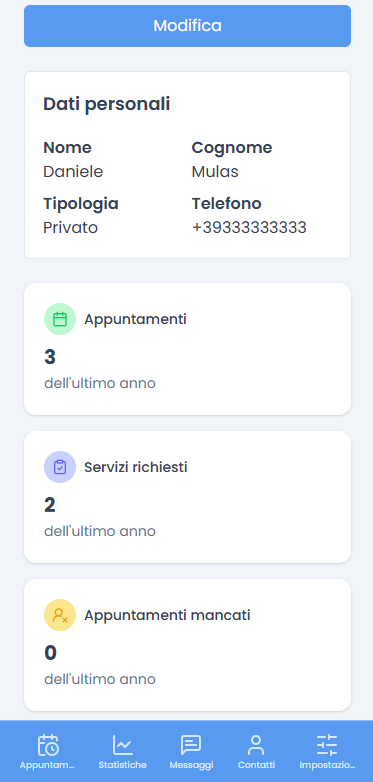
Memofly is not just reminders. It's a complete system to manage your client database, view appointment history and monitor user loyalty.
Native integrations
Instant and secure
synchronization.
Google Calendar Integration
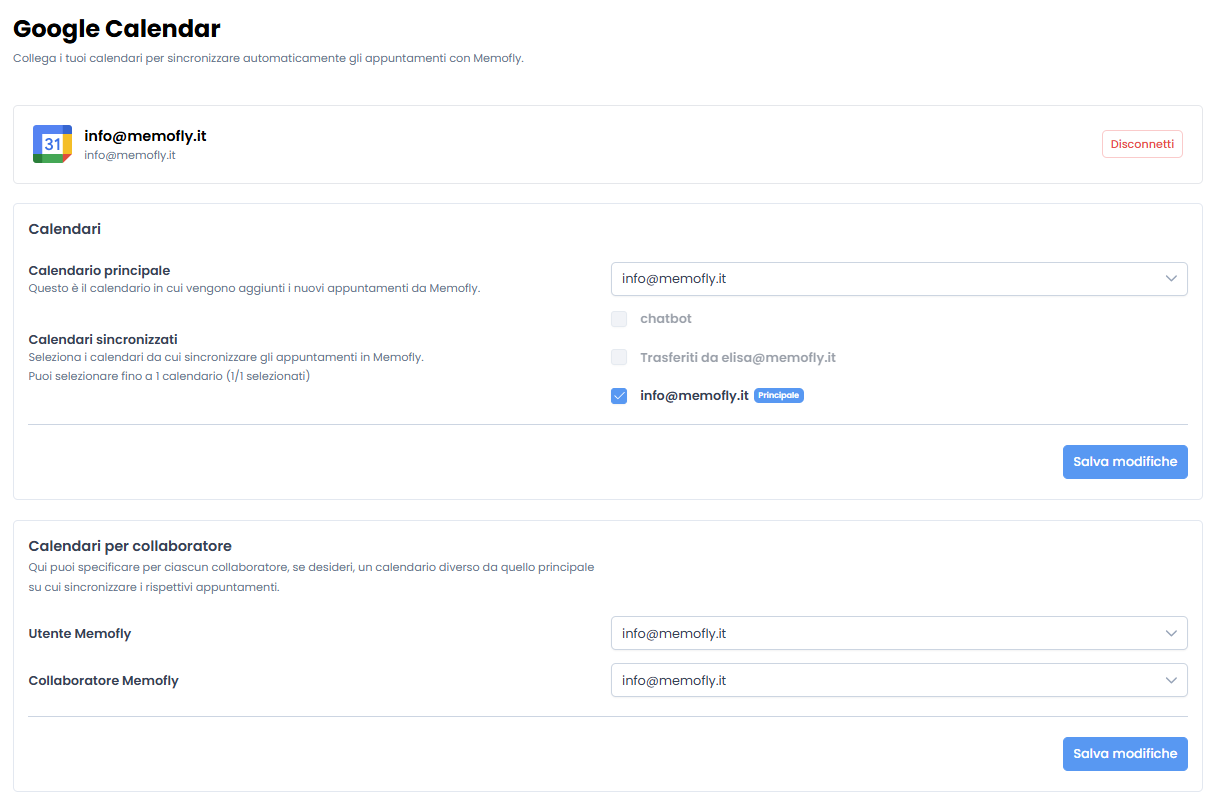
Connect your Google calendar in less than a minute. Memofly will read new events and schedule SMS automatically.
Two-way Automation
If you move an appointment on Google, Memofly immediately updates the reminder time.

The ultimate dashboard
Total control of your business.
From send monitoring to staff management. Memofly offers you a clean and powerful interface to govern your business.
Security First
Encrypted data and GDPR compliance for peace of mind.

Mobile Ready
Access all features from your smartphone wherever you are.
Roi calculator
How much do missed appointments cost you?
Use our simulator to understand how much revenue you're losing each month due to clients forgetting their appointments.
100
50€
15%
Monthly Loss
€750
Memofly Savings
€675
Save over 40 hours/month
By reducing cancellations and manual reminder calls.
Invest in Your Time
Plans for your needs
Choose the plan that best suits your needs. All plans include a 30-day free trial.
Choose billing period
All prices are VAT excluded
Memofly Basic
Perfetto per iniziare
9,00 € / month
- 100 messages per month
- 1 calendar
- Unlimited collaborators
- SMS reminders
- Email support
Add WhatsApp +7,00 €/month
MOST POPULAR
Memofly Professional
Per professionisti e piccoli team
19,00 € / month
- 200 messages per month
- 3 calendars
- Unlimited collaborators
- SMS reminders
- Priority support
Add WhatsApp +10,00 €/month
Memofly Enterprise
Per aziende con esigenze avanzate
59,00 € / month
- 400 messages per month
- 5 calendars
- Unlimited collaborators
- WhatsApp Business API with your own number
WhatsApp Business included
Need a custom plan?
Contact us for higher SMS volumes or dedicated enterprise integrations.
Get started
Start your free trial
today.
Hundreds of professionals have already optimized their schedule. Join them and watch your revenue grow.
NO COMMITMENT - CANCEL ANYTIME - NO CREDIT CARD
GDPR Compliant
Encrypted Data
Support Available